Home
Checkout flow
Bitpanda
2023
Bitpanda
Checkout experience: meeting the users where they are
When I arrived to Bitpanda, there was an ambition to merge the Deposit and Buy flows into one single Checkout flow leveraging the fact that the design lead and the VP of product were proposing a complete re-design of the app.
The process of buying assets in Bitpanda when I arrived was a bit cumbersome, although quite standard of the industry. You had to have balance in your fiat wallet before making a trade, so the user had to deposit cash before they can continue to buy what they want. The fact was that 80% of first time traders try to buy an asset without cash on their accounts.
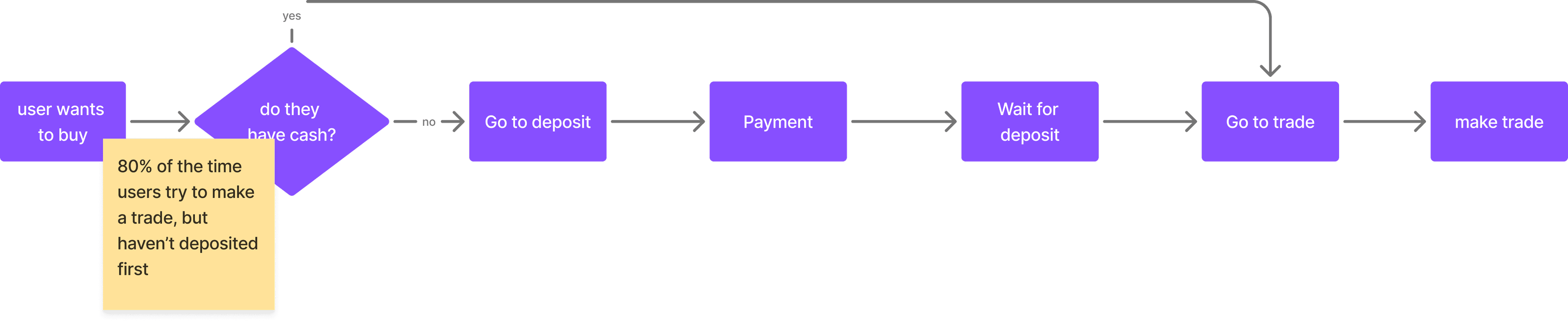
The business goal was clear, to improve the time from account verification to first trade by merging the deposit and trade flows in a seamless checkout flow.

My role
My role was to re-design the Buy flow with my PM Ricardo and the developers of two teams, Payments and Trading.
A seamless checkout experience
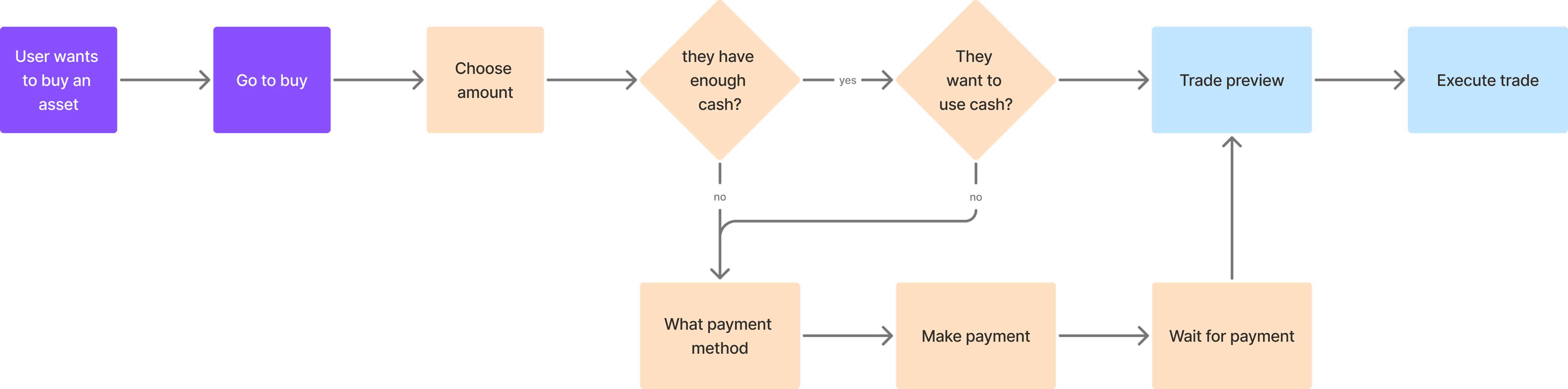
To create a seamless experience, two flows had to be merged into one.
Let's say a user just signed up to Bitpanda and wants to buy 500€ worth of Bitcoin. This is how a normal checkout process would look like:

But things are never so simple, are they? My PM and I faced several challenges along the way.

To solve the issues, we had to make tweaks to the flow:
We could not risk executing trades without telling the user the final price, so I needed to process the payment and then allow the user to confirm the trade and accept the T&C’s
We could not use the term "buy" until the deposit arrived to Bitapanda and the trade was not executed, so the legal team required us to divide the flow in two
Make a deposit
User says how much they want to buy and make the payment to Bitpanda (legally, buy "B-token")
Execute trade
User sees the final amount of asset they will buy and executes the trade
This solved the problems that I had:
If the price of the asset changes during the payment processing, the user will see the final offer before executing the trade
If the user does not need to make a payment, they can skip straight to the trade without depositing
Legal is happy because this structure allows us to comply with T&Cs
The backend team confirmed that this structure was possible to build from their side
Final UI
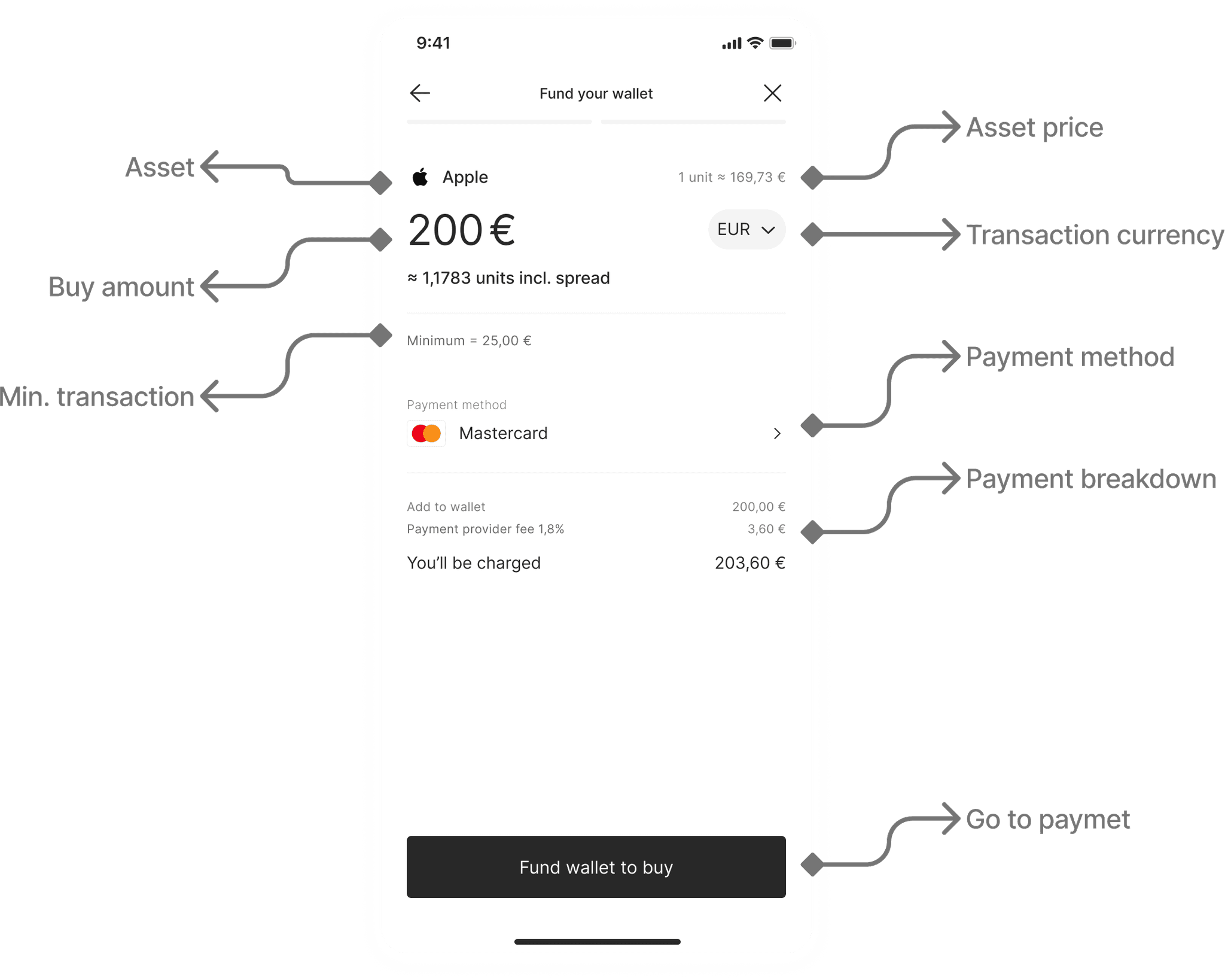
The first step on the buy flow, is the deposit amount where the user defines the payment method and the amount of the asset they want to buy.
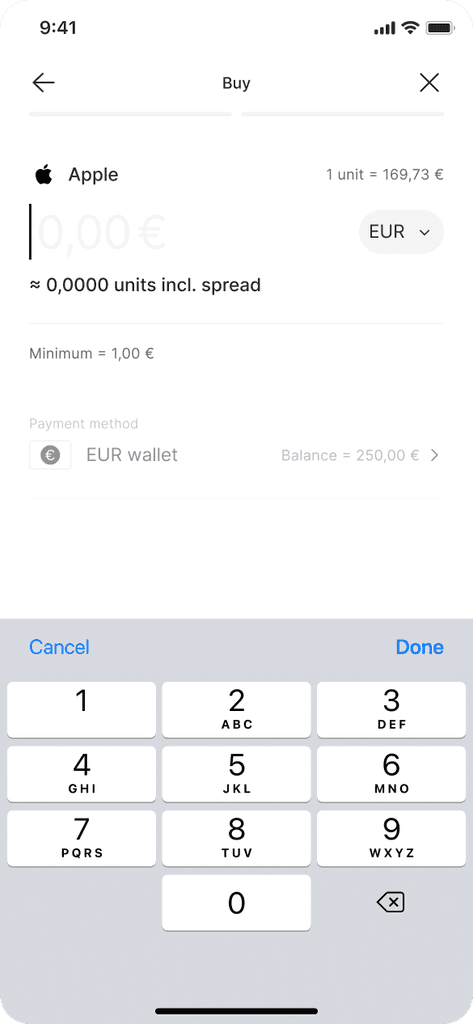
User can see that they have 200€ in their account
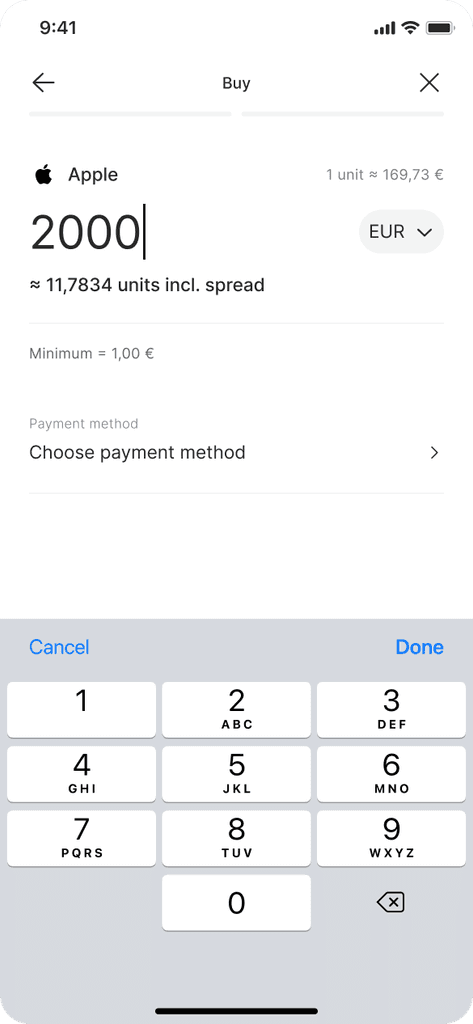
User adds amount and needs to select a method
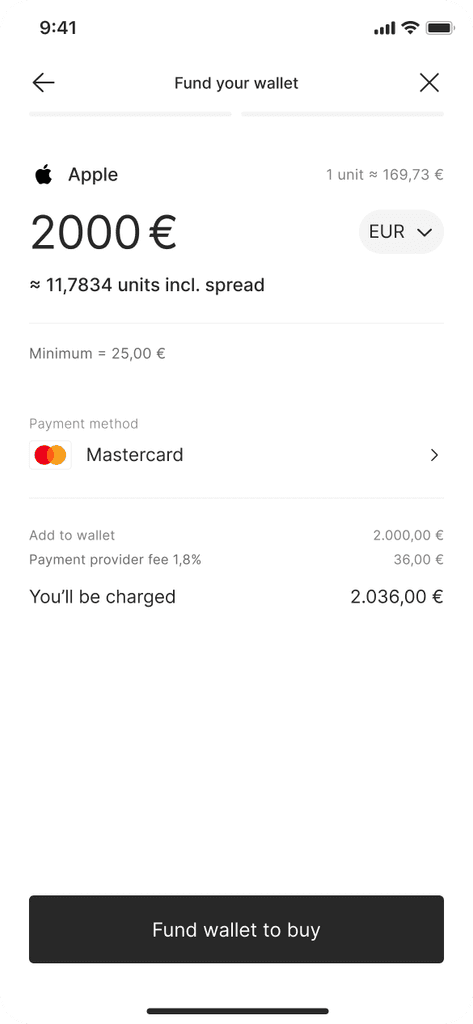
User chooses payment method
The second main step is the summary, where the user executes the trade once the payment has arrived. No mystery here, except for the amount of toggles that the user has to accept in order to complete the trade.
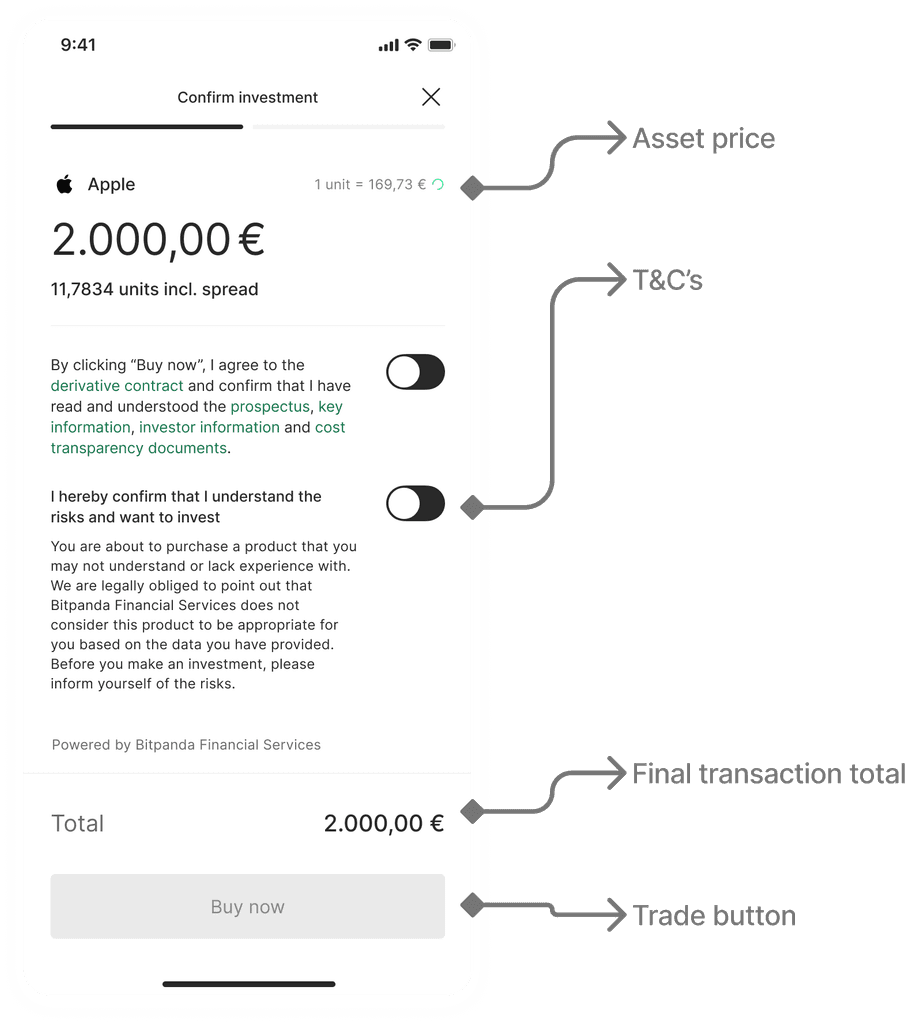
Outcomes
The performance of the checkout flow blew the expectations:
Around 25% of first time traders are converted through the checkout flow
40% of Apple Pay, 30% of PayPal and 25% of card payments are made through the checkout flow, exceeding the 2% expectation
Conversion of the flow is over 80% when checking out
Only 1% of users cancel their transactions in the summary screen